Youtube Tempo
A personal quest to make it easier to study and learn music on youtube lead me to design and develop a custom web tool and a chrome plug-in.
Feb 5, 2026
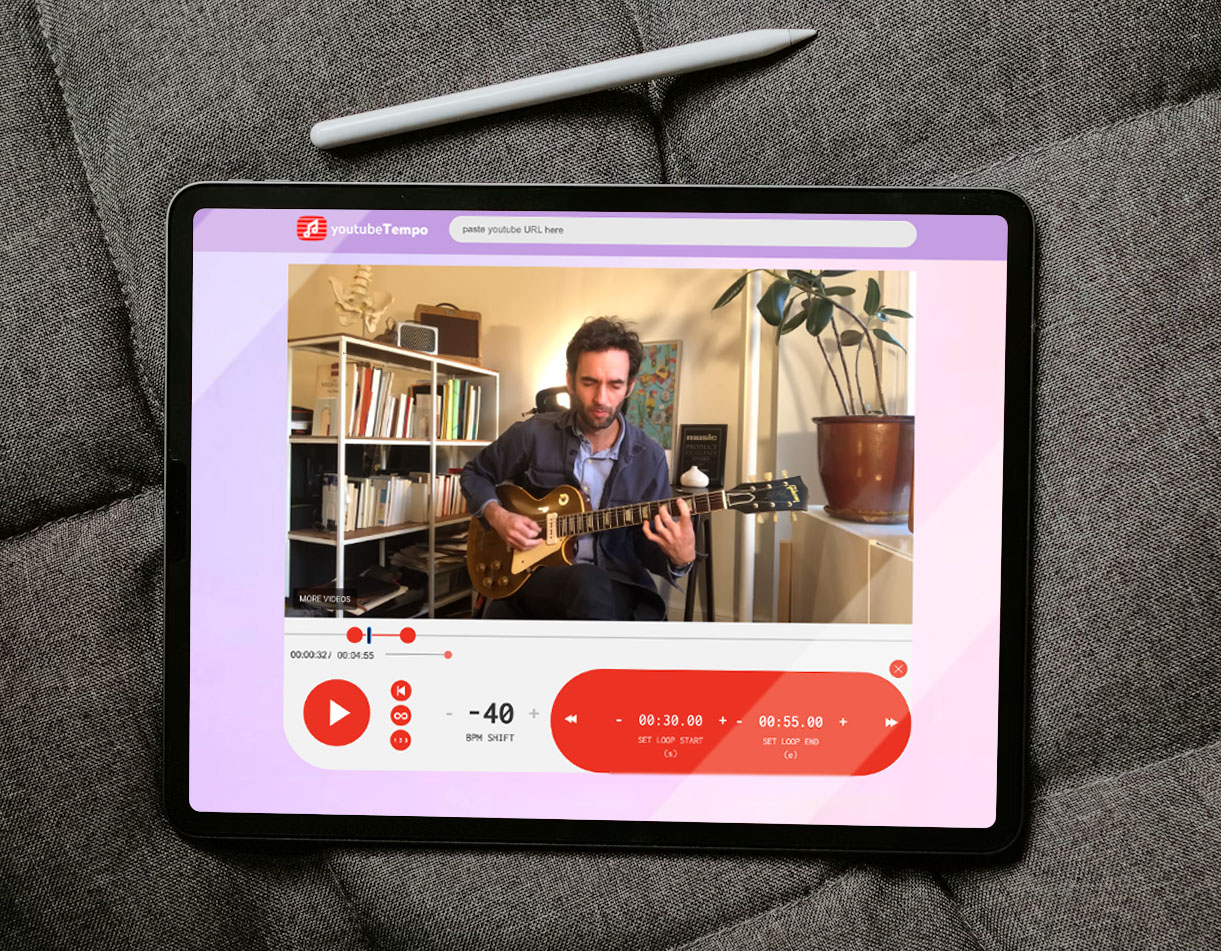
Today, Youtube is an absolute treasure trove of musical knowledge.
There are tens of thousands of channels dedicated to learning about music, and content creators putting out videos every day teaching every style and instrument imagineable.
Youtube's default user interface, however, is not at all optimal for music learning.
After months of experiencing my own frustrations with learning music on Youtube, I decided the site coud benefit from some context-specific controls designed with music learners in mind.

Learn at Your Pace
Learners can use the timeline controls to slow down videos up to -52 BPM, making it easy to play along with music at your pace. Slowly increase the BPM as you improve, and take manageable steps towards playing at full speed!
Loop on the Beat
Learners can precisely loop sections of any video - making it easy to listen and play along with complex sections of a song and loop music right on beat.
Use the speed controls in combintation with the looping tool to break challenging songs into manageable chunks played at a BPM where you can keep up.

Get help from an Adorable Sidekick
Even with an improved UI, learning music is hard.
Thats why I decided to design an adorable learning buddy to offer helpful hints, tips, tricks, charm, and playfulness to the experience.
the TempoTurtle is inspired by the Youtube logo, and intended to help reinforce the idea that the fastest way to learn is actually to slow down and learn at your own pace!
Quick and Easy Access
To access YoutubeTempo - you can use the custom Chrome Extension, or just insert the word 'tempo' into any youtube URL.
ie. https://www.youtubetempo.com/watch?v=2B7YSPx6qkI
check it out here!